100 cards
Basic Hanja
Characters, Korean readings and familiar compounds.
Find this deck in the appFREE FLASHCARDS · SPACED REPETITION
Give what you learn another chance to stick.
Recall the answer, then review again at an interval based on your rating.
No account · No AI · Cards and progress stay in your browser
01 / WHY SPACED REVIEW?
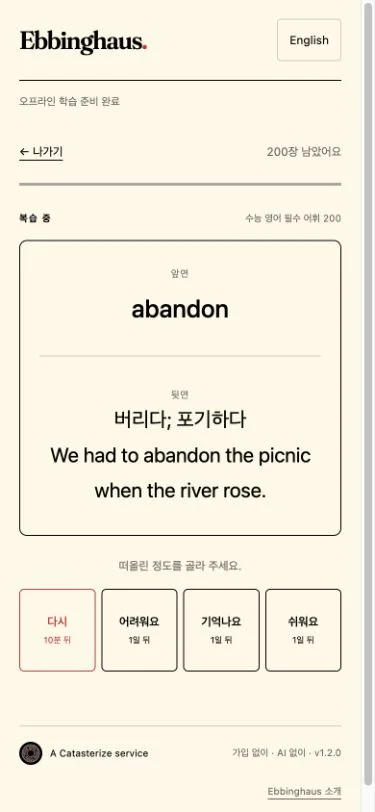
What you learn can fade with time. The forgetting curve describes this change. Spreading out your study and trying to recall the answer can help you remember for longer.
Ebbinghaus brings difficult cards back sooner and spaces out the ones you remember well. Open the app and start with the cards that are due.
— Recall again with each review
┄ Time passing without review
02 / HOW IT WORKS
Start with a ready-made deck,
or make cards for what you want to learn.
Tap “Add to your decks” in the free catalogue. You can also make your own cards or import a TXT or JSON file.
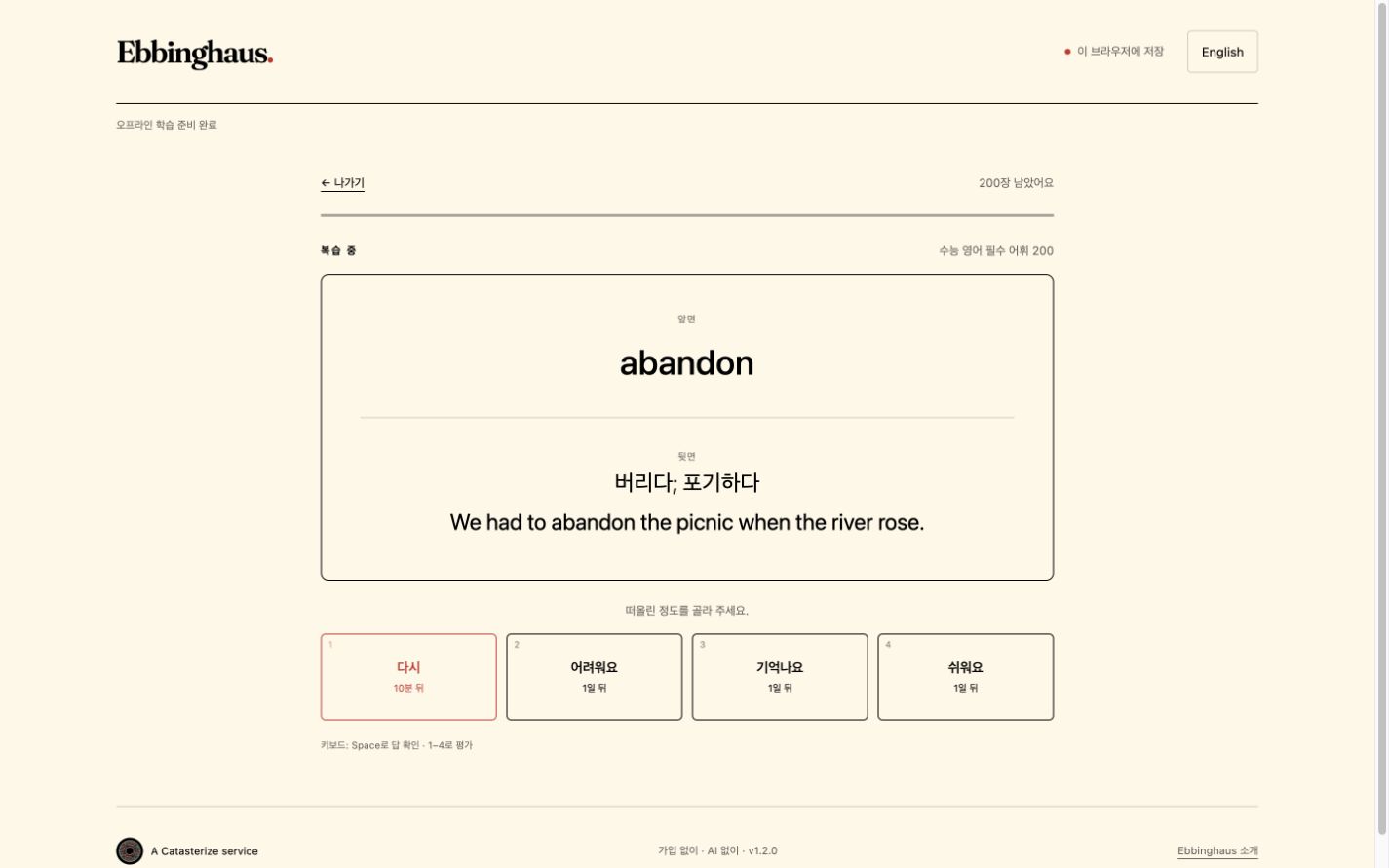
Think before you reveal. Then choose Again, Hard, Good or Easy to describe how well you remembered.
Your rating sets the next review interval. Open the app again to see the cards that are due.
03 / SOMETHING TO START WITH
One tap adds your own copy.
Edit it, or add cards of your own.
Characters, Korean readings and familiar compounds.
Find this deck in the appShort questions about matter, forces, energy, life and Earth.
Find this deck in the appYour first programming vocabulary, from variables to the web and Git.
Find this deck in the appEnglish expressions with Korean explanations and original examples.
Find this deck in the appReading vocabulary, Korean meanings and original English examples.
Find this deck in the appConnect dates and events, from foundation traditions to democratization.
Find this deck in the appmade by Ebbinghaus · Original study aids, not official textbooks, past papers or exam predictions. Choose your deck inside the app. These decks use Korean explanations.
04 / TAKE YOUR REVIEW WITH YOU
Add Ebbinghaus to your Home Screen and open it like an app. On your first visit, stay online until the app says “Ready for offline study”.
Once ready, your saved cards and starter decks work offline. Menu names can vary by browser version. You can also use the app directly in your browser without installing it.
05 / YOUR STUDY, IN YOUR BROWSER
Review with flashcards, without signing up or sending questions to AI.
Study data is not sent to a server. There is no automatic sync between devices.
Clearing browser data can erase your study materials. Use “Back up all” in the app to save a JSON file you can import in another browser.
We use Cloudflare Web Analytics for visit and performance statistics. There is no feature that collects your card content or study answers. About Cloudflare analytics ↗
Start with just one of the 700 ready-made cards.